🔗 As an Amazon Associate, I earn from qualifying purchases at no extra cost to you.
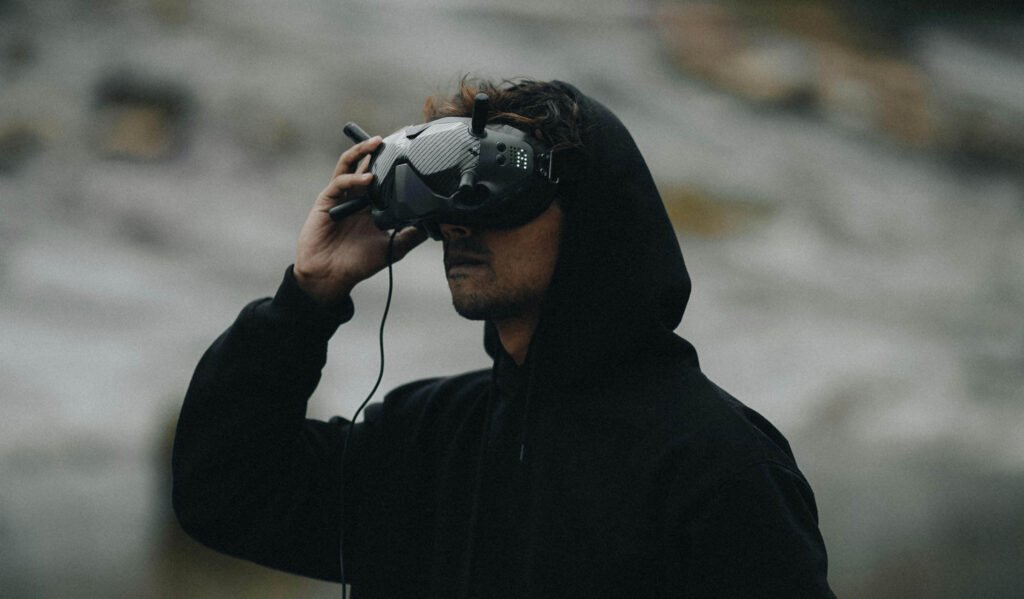
FPV flying is one of those things that’s hard to explain to someone who hasn’t tried it. You put on the goggles, the video feed comes up, and suddenly you’re not watching a drone fly — you’re flying. It’s immersive in a way that GPS camera drones just aren’t, and once you’ve experienced it, the pull to get better and go faster is real.
The problem for most beginners is that FPV has a reputation for being complicated, expensive, and hard to get into without blowing up a bunch of expensive hardware first. That reputation used to be mostly deserved. Now it’s mostly outdated. The market has matured a lot over the last couple of years, and there are genuine beginner kits available that include everything you need, fly safely in beginner mode, and won’t completely empty your wallet when you inevitably clip a tree in your first session.
This list of best FPV drones for beginners is focused on real options — kits that include goggles and a controller, drones that have a proper beginner mode, and setups where the learning curve is manageable with some time investment. I’ll give you my take from hands-on time with some of these drones and what others in the drone community have to say on the rest, so you’re getting a realistic picture of what it’s actually like to fly each of these, not just what the spec sheet says.
Quick Picks: Best Beginner FPV Drones at a Glance
| Drone / Kit | Best For | Price | Style | Key Feature |
|---|---|---|---|---|
| BetaFPV Cetus X Kit | Best overall | ~$250–310 | Whoop / indoor-outdoor | Complete kit, Betaflight, 3 modes |
| Emax Tinyhawk 3 RTF | Best indoor | ~$130–160 | Tiny whoop / indoor | Ultra-safe, crash-friendly |
| DJI Avata 2 | Easiest FPV exp. | ~$629+ | Cinema / outdoor | Motion controller, 4K stabilized |
| iFlight Alpha A85 HD | Best micro outdoor | ~$200–250 | Micro / outdoor | HD video, GPS rescue |
| BetaFPV Cetus Pro Kit | Best budget kit | ~$170–200 | Whoop / indoor-outdoor | Cheapest true starter kit |
The 5 Best FPV Drones for Beginners — Full Reviews
1. BetaFPV Cetus X FPV Kit
Best Overall Beginner Kit- Price ~$250–310
- Weight 55g
- Flight Time ~5 min/battery
- Camera C04 FPV + VR03 Goggles (DVR)
- Controller LiteRadio 3
- Flight Modes Beginner / Normal / Sport
If you’ve seen my Best Drones Under $300 roundup, you’ve already met the Cetus X — it’s the FPV pick there too, and it earns its place here as the best all-around beginner kit on the market right now. The reason is simple: it gives you everything you need in one box, the flight modes actually make a meaningful difference for new pilots, and the path from beginner to intermediate is a natural progression rather than a hard wall.
The kit includes the drone, the LiteRadio 3 transmitter (a proper radio, not a toy controller), and BetaFPV’s VR03 goggles with DVR recording. That’s a complete FPV setup — nothing else to source. The three flight modes are what make this genuinely suitable for beginners: Beginner mode self-levels, Normal mode is snappier but still forgiving, and Sport mode unlocks the full speed and aggressiveness of the platform. Most people spend their first few weeks in Beginner mode and find the transition to Normal comes naturally once the muscle memory builds.
The DVR recording in the goggles is genuinely useful — you can review your flights and see where you’re losing control. It accelerates learning in a way that just flying and hoping doesn’t. It runs Betaflight, the same firmware serious FPV pilots use, which means you’re building real skills from day one.
✓ What I like
- True all-in-one kit — nothing else needed to start flying
- Three flight modes that genuinely scale with skill level
- Runs Betaflight, the same firmware serious pilots use — you’re learning real FPV skills, not toy-drone habits
- DVR goggles for flight review and improvement
- Strong community, lots of YouTube tutorials specifically for the Cetus X
- Good upgrade path — you can swap components individually as you improve
✗ Worth knowing
- ~5-minute flight time per battery requires frequent landing (normal for FPV, but worth knowing)
- VR03 goggles are beginner-level — you’ll upgrade eventually
- No GPS / Return to Home for outdoor flying
Flight time is short — about 5 minutes per pack — but that’s FPV. The batteries are small, charge quickly, and most people find 5–6 packs in a session is comfortable. The included battery quantity varies by retailer, so check the listing.
Note: BetaFPV has also released a Cetus X HD variant with digital video — worth checking if HD feed quality matters to you, though it comes at a higher price.
2. Emax Tinyhawk 3 RTF
Best Pure Indoor Option- Price ~$130–160 (original RTF; verify current prices — the newer Tinyhawk 3 Plus RTF is $489+)
- Weight ~31g (without battery)
- Flight Time ~4–5 min/battery
- Camera Built-in 1200TVL FPV
- Controller Included basic radio
- Flight Mode Angle (self-leveling)
If the Cetus X is the pick for someone who wants to grow into FPV seriously, the Tinyhawk 3 RTF is for someone who wants to experience FPV without worrying too much about crashes and their consequences. At ~31g with a whoop-style frame that has prop guards built into the design, this thing bounces off furniture, clips doorways, and smacks walls without drama. Repairs, if they’re even needed, are minimal.
The RTF (Ready to Fly) version includes the drone, goggles, and radio — you need to add a 1S LiPo charger, but those are cheap and easy to find. The flight controller runs Betaflight, which means you’re on real FPV firmware even if the hardware is entry-level. Indoor FPV is a fantastic way to build precision skills, and the Tinyhawk 3’s durability makes it ideal for regular practice.
Pricing note: The Emax Tinyhawk 3 Plus RTF — the current flagship version in the Tinyhawk 3 lineup — runs $489–499 and includes significantly upgraded hardware (ELRS receiver, better goggles). The original Tinyhawk 3 RTF at ~$130–160 may still be available from some retailers while stock lasts. Verify before linking. If the original is unavailable, the Tinyhawk 3 Plus or the BetaFPV Cetus Pro are the better alternatives at similar or higher price points.
✓ What I like
- Ultra-light and durable — crashes are low-consequence
- Proper Betaflight firmware, not a toy flight controller
- Built-in prop guards — safe around people and furniture
- Great for building precision skills indoors
- Lower cost than the Cetus X (for the original version)
✗ Worth knowing
- Included goggles and radio are basic — expect to upgrade
- Limited to indoor / very calm outdoor flying
- Light wind will push it around outdoors
.
3. DJI Avata 2 — Best for an Easy FPV Experience
3. DJI Avata 2
Best for an Easy FPV Experience- Price $409 (drone only) / $849 (Fly More Combo, 1 battery) / $1,019 (Fly More Combo, 3 batteries)
- Weight 377g
- Flight Time ~23 min
- Camera 4K / 155° FOV / 3-axis stabilized
- Controller Motion Controller or FPV Remote Controller 3
- Video Transmission: DJI O4 (up to 13km)
- Flight Modes Normal / Sport / Manual
The Avata 2 is a different category from everything else on this list — it’s more expensive and built around a different idea of what FPV should be for casual users. Where the Cetus X and Tinyhawk are about learning to actually fly FPV, the Avata 2 is about experiencing FPV with as little friction as possible. The motion controller lets you fly it one-handed, tilting and pointing to steer — genuinely intuitive for complete beginners — and the stabilized 4K camera means your footage looks great from the very first flight.
DJI’s RSNR stabilization in the Avata 2 is impressive. The footage doesn’t have that chaotic, shaky quality of typical FPV video — it looks cinematic. If capturing usable video is as important as the flying experience, the Avata 2 is the only FPV option at any price that delivers both reliably. The 23-minute flight time is also exceptional for an FPV drone.
The trade-off is price and flexibility. The motion controller is fun, but it limits what you can do; if you want to learn proper stick control, you’ll eventually feel constrained by it. And crashes on the Avata 2 are more expensive to fix than on a Cetus X or Tinyhawk.
✓ What I like
- DJI build quality and O3 video transmission — rock solid
- 4K stabilized footage from the very first flight
- Motion controller makes it instantly accessible
- 23-min flight time — exceptional for FPV
- Normal mode with obstacle avoidance reduces crash risk
- DJI Care Refresh available for accident protection
✗ Worth knowing
- Significantly more expensive than the rest of this list
- Motion controller isn’t a real radio — limits skill development
- Repairs are pricier than hobby-grade FPV components
- Manual mode locked behind DJI’s activation process
4. iFlight Alpha A85 HD — Best Micro Outdoor FPV
4. iFlight Alpha A85 HD
Best Micro Outdoor FPV- Price ~$200–250
- Weight ~106g
- Flight Time ~5–7 min/battery
- Camera Caddx Nebula Nano (digital HD)
- Flight Modes Angle / Horizon / Acro
- GPS Yes — GPS Rescue
The iFlight Alpha A85 HD sits in an interesting spot — a step up from beginner whoops in performance and outdoor capability, but still small enough at 85mm that crashes aren’t catastrophic and flying in a park is completely reasonable. The HD digital video feed through the Caddx Nebula Nano is a genuine quality jump over the analog cameras in the Cetus X and Tinyhawk.
What makes the A85 HD beginner-relevant is GPS Rescue — essentially a Return to Home for FPV. If you lose orientation outdoors and panic, flip a switch and the drone uses GPS to navigate back toward you. It’s a meaningful safety net for new outdoor pilots still developing their spatial awareness. The iFlight build quality is solid, and the flight controller runs Betaflight throughout.
The main practical limitation: it doesn’t come as a full kit. You need compatible digital goggles separately, which adds $150–300+ to the total. If you’re starting from zero, the Cetus X is more practical. If you already have a DJI digital FPV goggle system, this is a fantastic next step.
✓ What I like
- HD digital video feed — genuine quality upgrade over analog
- GPS Rescue is a meaningful safety net for outdoor flying
- 85mm frame is compact but handles light wind well
- Betaflight firmware — skills transfer directly to larger quads
- iFlight’s build quality and parts availability are both good
✗ Worth knowing
- Doesn’t include goggles or radio — not a full kit
- Total cost with digital goggles can approach the Avata 2
- Smaller community around this specific model vs. Cetus X
5. BetaFPV Cetus Pro Kit — Best Budget Complete Kit
5. BetaFPV Cetus Pro Kit
Best Budget Complete Kit- Price ~$170–200
- Weight ~48g
- Flight Time ~4–5 min/battery
- Camera C02 FPV + VR01 Goggles
- Controller LiteRadio 2 SE
- Flight Modes Beginner / Normal / Sport
The Cetus Pro is essentially the Cetus X’s more budget-friendly sibling. It uses a 1S motor configuration (the Cetus X uses 2S for more punch and speed), and the included goggles are slightly more basic. But it’s a complete kit, it runs Betaflight, it has the same three-mode structure, and it costs $70–100 less. For a beginner who isn’t sure yet whether FPV is going to stick as a hobby, the Cetus Pro is a sensible first buy.
You get a real FPV experience, you learn on actual Betaflight firmware, and if you decide it’s not for you, you haven’t spent $300. If you decide you love it, the upgrade path to the Cetus X or a larger outdoor quad is clear. The 1S motors are less powerful and won’t handle outdoor wind as well — for pure indoor flying that’s fine, but if you’re aiming for outdoor flying sooner, the extra cost of the Cetus X is worth it.
✓ What I like
- Complete kit — no additional purchases needed to start
- Lower price makes it a sensible trial investment
- Same Betaflight firmware and three-mode structure as Cetus X
- BetaFPV community and support is solid
✗ Worth knowing
- 1S motors limit performance vs. Cetus X, especially outdoors
- VR01 goggles are more basic — smaller screen, less comfortable
- Less suitable for outdoor flying than the Cetus X
FPV Beginner’s Guide: What You Actually Need to Know Before You Buy
What Is FPV, Exactly?
FPV stands for First Person View. Instead of watching your drone from the ground, you see what the drone’s camera sees — in real time, through goggles. It’s more immersive, more skill-dependent, and more fun than GPS camera drones once you get comfortable with it. The learning curve is real, but it’s also the most rewarding part of the hobby for a lot of pilots.
Angle Mode vs. Acro Mode
Angle mode (self-leveling) means the flight controller automatically keeps the drone level — let go of the sticks and it stabilizes itself. This is how Beginner mode works on the Cetus X and Tinyhawk. Acro mode means the drone does exactly what you tell it to, with no self-correction. It’s how competitive pilots fly, and it’s much harder to learn.
Start in Angle mode. Acro mode will still be there when you’re ready — usually after weeks or months of regular flying.
Analog vs. Digital Video
Analog FPV systems are cheaper and have a massive community infrastructure built around them. Digital systems (DJI FPV, Walksnail Avatar, HDZero) deliver HD quality with lower latency, but cost more. For beginners, analog is often recommended because the hardware is cheaper and more replaceable. If budget isn’t a concern, digital is objectively better.
Whoop vs. Micro vs. 5-inch
Whoops (Tinyhawk, Cetus X) have integrated prop guards and are designed for indoor flying. Micro quads (iFlight A85) are slightly larger, no prop guards, better for outdoor open-area flying. 5-inch quads are what most racing and freestyle pilots fly — powerful, fast, and not beginner-appropriate as a first experience. Start with a whoop.
Simulators Help More Than People Expect
Before you buy a drone, consider putting $15 toward a FPV simulator on Steam — Liftoff: FPV Drone Racing and VelociDrone are both well-regarded. Connect your transmitter (or a USB gamepad to start) and practice without breaking anything. Most experienced pilots say they wish they’d spent more time in a simulator early on.
Battery Safety Basics
FPV drones use LiPo (Lithium Polymer) batteries. Never charge them unattended, use a proper LiPo charger, and store at storage voltage (~3.8V per cell) if not flying for a week or more. LiPo bags for charging are cheap insurance. The Cetus X and Tinyhawk use 1S or 2S cells that are relatively low-risk, but the habits are worth building early.
Frequently Asked Questions
Is FPV hard to learn? Harder than flying a GPS camera drone, but not as hard as the forums make it sound. With a beginner mode drone like the Cetus X, most people are flying comfortably after 5–10 sessions. Acro mode takes longer but isn’t required to enjoy FPV.
Do I need a license to fly FPV? In the US, recreational pilots need to register drones over 250g, pass the TRUST safety test, and follow airspace rules. FPV with goggles technically requires a visual observer — someone present who can see the drone for you. Most beginner pilots fly with a friend for this reason.
Can I fly FPV indoors? Yes — whoops like the Tinyhawk and Cetus X are specifically designed for it. Gymnasiums, living rooms, and garages all work. Just make sure everyone nearby is comfortable with a drone in the space.
How long until I can fly in Acro mode? With regular practice (2–3 sessions per week), most pilots are comfortable in Acro mode after 2–4 months. Simulator time accelerates this significantly.
What happens when I crash? With a whoop, usually very little — prop guards absorb most impacts. Budget for spare props (they’re cheap). The community is very helpful for troubleshooting, and most beginner whoops have easy-to-source parts.
What should I buy if I’m on a tight budget? The BetaFPV Cetus Pro Kit at ~$170–200 is the most affordable genuine FPV starter kit. Alternatively, spend $15 on a simulator first to confirm you’ll enjoy the hobby, then budget accordingly.
Our Recommendation
For most beginners, the answer is the BetaFPV Cetus X Kit at ~$250–310. It’s the most complete, well-designed beginner package available, runs real Betaflight firmware, and grows with your skills.
If you want to start cheaper and aren’t sure FPV will stick, go with the BetaFPV Cetus Pro Kit at ~$170–200. Same idea, slightly less performance, more accessible entry point.
If you’re a content creator who wants FPV footage without a long learning investment, the DJI Avata 2 is the polished, easy-mode option — it just costs significantly more.
BetaFPV Cetus X → BetaFPV Cetus Pro → DJI Avata 2 →Related Posts
- Best Drones Under $300: 6 Top Picks for Every Pilot
- DJI Mini 4K vs Potensic ATOM SE: Which Budget Drone Wins?
- Best Drone Accessories Under $50
- How to Build an FPV Drone from Scratch (coming soon)